
How to troubleshoot enterprise network issues: Wi-Fi, configuration, and full checklist
Previous posts have addressed internal congestion, ISP bandwidth sharing, and buffer blotting, which are the invisible infrastructure-level causes of network instability.
If you missed the post, please check this link: https://beyondnetglobal.com/en/why-is-your-business-network-still-slow-despite-high-bandwidth/
In this post, Beyondnet talks about issues that exist inside the office walls and quiet configuration errors that no one intends to check.
3. Wi-Fi and Office Infrastructure: Most Common Weaknesses
According to NetTech’s analysis, one of the most common corporate mistakes is investing in premium ISP connections while ignoring Wi-Fi and internal cable quality. As a result, the bottleneck is entirely inside the office, outside the ISP’s control, and entirely within your control.
Wi-Fi issues commonly encountered in enterprise environments:
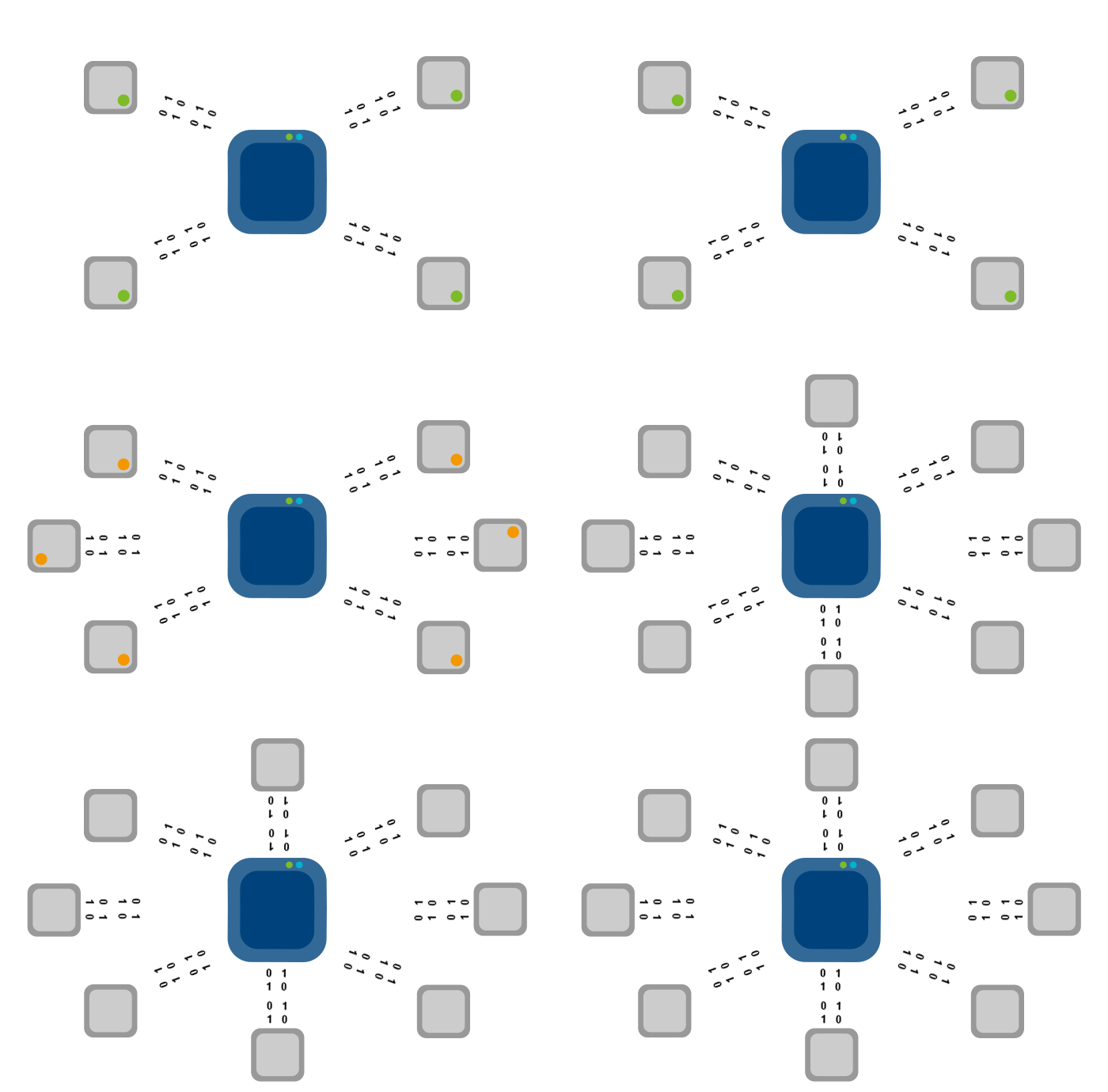
Access Point Overload: Consumer APs handle 10-15 devices well. With only two to three APs in a 50-person office, each office carries 15 to 25 devices, which significantly degrades performance during peak working hours.
Channel interference: Multiple APs using the same 2.4 GHz channel cause redundant interference. In a shared office building, there can be 10 to 20 competing Wi-Fi networks on the same channel.
Bad roaming: When employees move to the office, devices don’t always switch APs smoothly (“sticky client” issues), resulting in a short disconnect, resulting in calls and uploads.
Old Cable: Cat5e cable maximizes to 1Gbps. If your infrastructure is still running Cat5 (100Mbps), even if your ISP provides gigabit fiber, you’ll see a big bottleneck.
Unmanaged switches-Switches without management do not support VLANs, QoS, or STP, so there are limitations to diagnosing problems or prioritizing traffic.
📊 Noteworthy
Indeed, much of the enterprise network complaint goes back to Wi-Fi and internal cables, not ISP connections. This is an area that companies can fully control, but investment often lags behind their needs.
Enterprise Wi-Fi Infrastructure Checklist:
✓ Coverage: Plan one enterprise-class AP per 20-25 devices.
✓ Use controller-based APs (Ubiquiti UniFi, Cisco Meraki, Aruba) for centralized roaming management.
We provide separate SSIDs for employees, guests, and IoT/printers.
✓ Cat6 cable minimum connection – Cat6A if the cable exceeds 55 meters or requires a 10Gbps speed.
✓ managed switch that supports VLANs and QoS.
4. Configuration and security issues that no one checks
Apart from hardware, Airtel Insight identifies groups of ‘invisible’ causes that have been rarely considered when solving network problems but can have a significant impact on performance.
DNS: the first step in all network requests
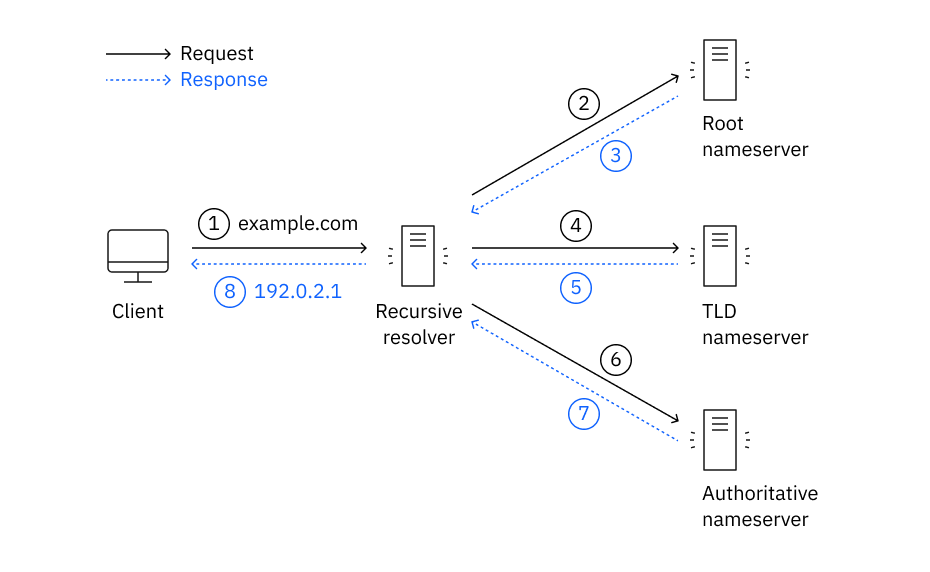
Whenever a browser or application opens a new connection, DNS must be queried to resolve the domain name to an IP address. If the DNS server is slow or unresponsive:
• The website loads slowly despite sufficient bandwidth.
• The cloud app times out at startup.
• The email client takes seconds to connect to the server.
Correction: It is recommended to use the Quick Public DNS Solver (Cloudflare 1.1.1.1, Google 8.8.8) or deploy an internal DNS caching server to reduce resolution latency overall.
IP Crash: Mystery of Random Disconnection
When two devices on the same LAN are assigned the same IP address (usually due to static IP configuration errors or DHCP scope redundancy), both devices experience intermittent connection loss. This symptom is often misdiagnosed as a Wi-Fi or ISP problem.
Unauthorized Access and Log Devices
All devices that are not recognized on the network, even those that browse the web or stream music, consume shared bandwidth. In bandwidth-limited environments, 5-10 unauthenticated devices can meaningfully degrade the performance of legitimate users in the office.
Other configuration issues worth checking:
• Old Firmware: Routers, switches, and APs running old firmware may have performance bugs or security vulnerabilities that affect throughput.
• MTU mismatch: Misconfigured MTU settings cause packet fragmentation, increasing overhead and reducing effective throughput.
• Anti-virus/EDR network scanning: Some security tools unintentionally add latency to all connections by inspecting network traffic in real time.
• VPN setup error: A full tunnel VPN configuration (or a split tunnel that is incorrectly set to send all traffic through a remote server) adds 50-200 ms of unnecessary latency to all connections.